As an Amazon Associate I earn from qualifying purchases. Hamejur's conclusions remain editorially independent.
Work & smart living · Home-office guide
Short answer: the best ergonomic mice for home offices depend on hand size, handedness, and available movement space. Choose the Logitech Lift for small to medium right hands, the Logitech MX Vertical for medium to large right hands and rechargeable power, and the Kensington TB450 when a stationary thumb trackball fits a narrow desk. No pointing device can compensate for a desk that forces the shoulder, elbow, or wrist into an awkward position.
Disclosure: As an Amazon Associate I earn from qualifying purchases. Hamejur does not receive payment for choosing one model over another. Prices, availability, colors, package contents, and specifications can change, so confirm the exact model before ordering.
Quick verdict
Best for small to medium hands: Logitech Lift. Its compact 57-degree body, quiet controls, AA battery, Bluetooth, and Logi Bolt connection make it the approachable vertical choice for the correct hand.
Best for medium to large hands: Logitech MX Vertical. The taller rechargeable body favors a fixed right-handed workstation with enough clearance and a need for higher pointer sensitivity.
Best for a tight desk: Kensington TB450. The base stays still while the thumb turns the ball, trading sweep space for a new control style and a regular cleaning step.
The three picks at a glance
SMALLER-HAND PICK
Logitech Lift Vertical Ergonomic Mouse
A 57-degree vertical form sized for small to medium hands, quiet clicks, SmartWheel, Bluetooth and Logi Bolt connections, three-device switching, and AA power.
Watch for: the linked graphite model is right-handed even though Logitech sells a separate left-hand version. The included USB-A receiver and full button customization should be confirmed for the exact package and operating system.
LARGER-HAND PICK
Logitech MX Vertical
A taller 57-degree right-hand body for medium to large hands, 4000-DPI tracking, device switching, Bluetooth and receiver support, and rechargeable USB-C power suit a fixed desk.
Watch for: its height and hand-specific shape need more clearance and a genuine fit check. USB-C charging does not make the shell ambidextrous, and older receiver technology differs from Logi Bolt.
SMALL-DESK PICK
Kensington Pro Fit Ergo TB450
A stationary 34-millimeter thumb trackball, 45-degree right-hand slope, Bluetooth LE and 2.4-gigahertz receiver paths, four DPI settings, and ball-ejection cleaning save sweep space.
Watch for: thumb control has a learning curve and may not suit every hand or repetitive task. The right-hand body, removable ball, receiver, battery, and supported customization software all need ownership attention.
How Ergonomic Mice for Home Offices Compare
| Decision factor | Logitech Lift | Logitech MX Vertical | Kensington TB450 |
|---|---|---|---|
| Primary fit | Small to medium hands | Medium to large hands | Right-hand thumb trackball users |
| Form | 57-degree vertical mouse | Taller 57-degree vertical mouse | Stationary 45-degree trackball |
| Movement | Slide mouse across surface | Slide mouse across surface | Rotate 34-mm ball with thumb |
| Connection | Bluetooth LE or Logi Bolt | Bluetooth, Unifying receiver, or USB-C | Bluetooth LE or 2.4-GHz receiver |
| Power | One AA; up-to-24-month claim | Rechargeable; up-to-four-month claim | One AA; mode-dependent estimates |
| Main ownership check | Handedness and compact fit | Height, reach, and receiver type | Thumb comfort and ball cleaning |
Hand-size labels, battery life, angle, and comfort language come from manufacturer documentation. Fit is individual, and published ergonomic statements are not medical treatment claims.
Choose ergonomic mice for home offices by fit and placement
Match size and handedness before features
A shell that is too large can force the fingers to reach; one that is too small can leave the hand pinching for control. Logitech positions Lift for small to medium hands and MX Vertical for medium to large hands. The linked Lift and MX models are right-handed, as is the Kensington TB450. Measure the hand using the maker’s guide when available, and use a return window to test reach, grip pressure, scroll access, and side-button access during normal work.
Keep the pointer close to the keyboard
OSHA recommends placing the pointer near the keyboard and choosing a size and shape that allow a straight, neutral wrist. A good shell placed beyond a wide number pad can still pull the shoulder outward all day. Make room on the same work plane, consider a narrower keyboard if reaching is the problem, and support the forearm without pressing the wrist against a sharp desk edge. Chair and desk height remain part of the decision.
Choose sliding motion or stationary ball control
Lift and MX Vertical still travel across the mouse pad, so the desk needs sweep space and a surface that tracks reliably. TB450 stays in place and moves the cursor with the thumb, which can suit a narrow tray or shared counter. The trade is a different learning curve and more concentrated thumb motion. Start slowly, use light pressure, and change course if one movement pattern feels worse rather than assuming unfamiliarity must be endured.
Check receivers, ports, and software policy
Bluetooth preserves a USB port but depends on the computer’s radio and workplace settings. Dedicated receivers can simplify pairing, yet Lift uses Logi Bolt, MX Vertical uses a Unifying receiver, and TB450 has its own 2.4-gigahertz receiver. These small dongles are not interchangeable. Optional customization apps may require Windows or macOS support and permission from an employer. Confirm the exact ports, OS version, and software policy before buying for macros or multi-computer control.
Set pointer speed before judging the shape
A slow pointer can make the user sweep the arm or thumb farther than necessary; an overly fast pointer can encourage a tight grip and constant correction. Set the operating system and hardware sensitivity so the cursor crosses the display with a comfortable range while the wrist remains straight. Keep acceleration and button assignments simple at first. Hardware fit, placement, task breaks, and keyboard shortcuts matter more than chasing a maximum DPI number.
Logitech Lift: best for small to medium hands
Choose the Logitech Lift when a right-handed user has a small or medium hand and wants a vertical mouse that is less imposing than Logitech’s MX Vertical. Logitech shapes Lift around a 57-degree angle with a thumb rest, textured grip, quiet primary clicks, and a SmartWheel that moves between precise and faster scrolling. The company describes it as a small-to-medium-hand design and also sells a distinct left-handed version. The exact Amazon identity linked here is the graphite right-hand model, so left-handed buyers should not assume that changing the color selector also changes the shell orientation.
Lift can connect through Bluetooth Low Energy or a Logi Bolt USB-A receiver and switch among as many as three paired devices. The mouse uses one AA battery; Logitech publishes an up-to-24-month figure under its conditions. Bluetooth saves a port on a thin laptop, while Bolt provides a dedicated receiver path when a desktop lacks reliable Bluetooth. Basic pointing can work across more systems than the customization software, so check Logitech’s current compatibility table before buying around app-based button assignments or cross-computer workflow. A work-managed computer may also block optional software installation.
A vertical angle does not make fit automatic. The heel of the hand should be supported without forcing the fingers to stretch, the thumb should reach side buttons without squeezing, and the mouse should sit close enough that the elbow stays near the body. Start with a moderate pointer speed and change it gradually so the cursor crosses the display without a large shoulder movement. Logitech’s claims about posture and muscle activity are product-design claims, not a promise that Lift will treat pain. Persistent numbness, weakness, or pain calls for professional advice and a wider workstation assessment.
Who should avoid it: skip the linked model for a left-handed user, a large hand that feels cramped on compact shells, a computer that cannot use Bluetooth or the supplied USB-A receiver, or anyone expecting a mouse alone to correct desk height and posture.
Logitech MX Vertical: best for medium to large hands
Choose the Logitech MX Vertical when a right-handed user has a medium or large hand and wants a taller vertical grip with a rechargeable battery. Logitech uses the same headline 57-degree angle as Lift but builds MX Vertical around a larger shell. The company lists it for medium-to-large hands and provides a dedicated cursor-speed switch with tracking adjustable up to 4000 DPI. That combination makes more sense on a permanent desk with a large display than in a small travel pouch, especially when the palm can settle on the body without fingertips hanging over the buttons.
The connection set includes Bluetooth, a Logitech Unifying receiver, and a wired USB-C option for charging while working. It can move among three paired computers, and Logitech Flow or button customization depends on supported software and operating systems. Do not confuse the included Unifying receiver with the newer Logi Bolt receiver used by Lift; the two ecosystems are not interchangeable. On a laptop with only USB-C ports, Bluetooth may be the simplest wireless route unless the owner already uses a suitable adapter or dock. Confirm current system support before planning multi-computer features.
Logitech advertises up to four months per charge and a short-charge feature, but battery endurance varies with usage, radio mode, age, and charging habits. More important is the daily reach. Place the mouse on the same plane as the keyboard, keep it close to the typing area, and leave enough height under any keyboard tray or shelf for the vertical shell and the hand above it. A larger vertical mouse can reduce forearm rotation for one person and feel unstable to another. Try the shape during a return window, adjust speed, and avoid gripping harder to compensate for unfamiliarity.
Who should avoid it: choose another model for left-hand use, a small hand that cannot reach the wheel and side controls comfortably, a shallow keyboard tray, a workplace standardized on Logi Bolt receivers, or a buyer who does not want rechargeable-device upkeep.
Kensington TB450: best when desk sweep space is tight
Choose the Kensington Pro Fit Ergo TB450 when the pointer must stay in one place because the desk, keyboard tray, or shared work surface has almost no room for mouse movement. Instead of sliding the whole device, the right thumb rotates a 34-millimeter trackball. Kensington angles the body at 45 degrees and provides four hardware DPI choices—400, 800, 1200, and 1600—for adjusting cursor travel. The stationary base can sit close to the keyboard, which follows OSHA’s advice to reduce reaching, but the thumb-operated control changes the workload rather than eliminating it.
The TB450 connects by Bluetooth Low Energy or the included 2.4-gigahertz USB receiver and uses one AA battery. Kensington publishes battery estimates of up to 18 months on the receiver and up to 15 months on Bluetooth, subject to use and cell choice. Its support page identifies model K72194WW as a right-hand product measuring about 138.16 by 93.44 by 50.1 millimeters. Check OS support for Kensington’s current software if button assignments matter; basic pointer functions and advanced customization can have different compatibility requirements.
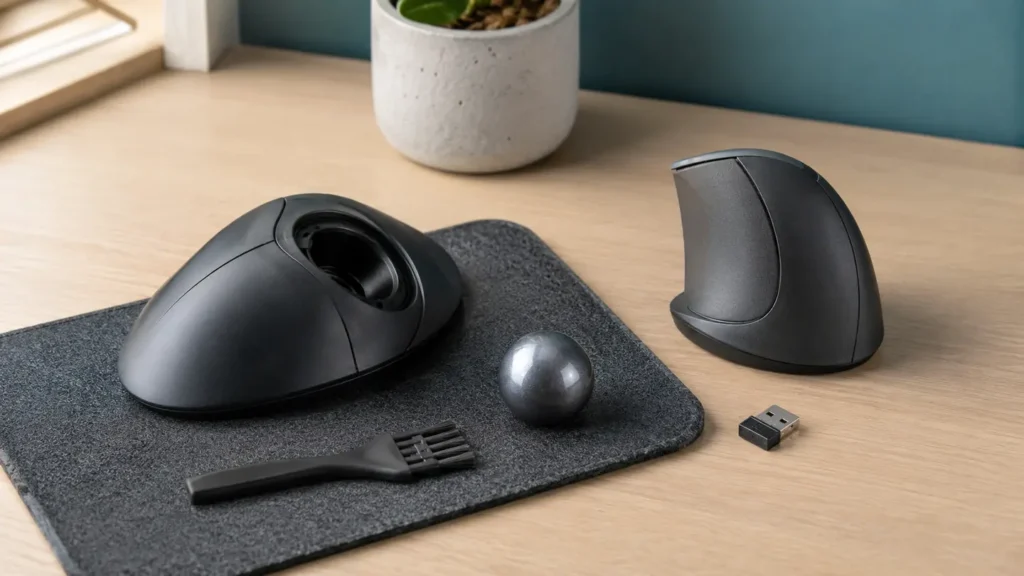
Trackballs need a different cleaning habit from ordinary mice. Skin oil and dust collect on the ball and the small bearing points inside the socket. Kensington includes an ejection mechanism so the ball can be removed; power the device off, eject it over a clear surface, use a dry soft cloth or the manufacturer’s approved method, and reinstall it only when clean and dry. Do not let the ball roll off the desk or press sharp tools into the sensor area. Give the thumb a gradual adaptation period and stop if a movement pattern causes discomfort.
Who should avoid it: skip it for a left-handed user, a person whose thumb dislikes repeated fine motion, someone unwilling to clean a removable trackball, a shared desk where the loose ball may be misplaced, or work that clearly feels better with broad arm movement.
Match the pointer to the desk and hand
A smaller hand wants a first vertical mouse
Start with Logitech Lift. Its compact right-hand shell and quiet controls are the clearest fit when the hand-size guidance matches.
A larger hand works at a fixed monitor
Start with Logitech MX Vertical. The taller grip, rechargeable power, and higher sensitivity suit a desk with enough height and sweep room.
The keyboard tray has almost no side space
Start with Kensington TB450. The stationary base keeps the pointer close, provided right-thumb control feels comfortable.
Avoid these ergonomic mouse mistakes
Do not ignore handedness. A right-hand shell used on the left can create an awkward grip even when the marketing says ergonomic.
Do not buy by angle alone. Hand size, reach, placement, button force, and task pattern determine whether the device fits.
Do not place the pointer beyond a long reach. Keep it near the keyboard on the same work plane.
Do not assume every Logitech receiver is compatible. Logi Bolt and Unifying are different systems.
Do not treat persistent pain as a mouse-shopping problem. Stop aggravating use and seek qualified guidance when symptoms continue.
Frequently asked questions
Is a vertical mouse always better than a regular mouse?
No. A vertical shell changes forearm and wrist position, but benefit depends on size, handedness, reach, grip, sensitivity, and the rest of the workstation. OSHA recommends testing a pointing device for fit and feel before long-term use. Some people prefer a conventional mouse, trackball, touchpad, or alternating devices.
What is the difference between Logitech Lift and MX Vertical?
Both use a 57-degree right-hand form, but Logitech positions Lift for small to medium hands and powers it with one AA battery. MX Vertical is taller, is aimed at medium to large hands, and has a rechargeable battery. Their included receiver technologies also differ: Logi Bolt versus Unifying.
Does a trackball need desk movement space?
The base remains stationary, so a trackball needs far less side-to-side sweep room than a sliding mouse. It still needs a reachable, stable spot near the keyboard and enough hand space around the ball and buttons. Thumb-operated control may not suit every person or task.
Can these mice work without manufacturer software?
Basic pointing and clicking can work on supported systems without optional software, but custom buttons, device switching workflows, and other advanced features may depend on an app, OS version, or workplace permissions. Check the current compatibility page for the exact model and computer.
How should I clean the Kensington TB450 ball?
Power the device off and follow Kensington’s current cleaning guide. Use the built-in ejection method over a safe surface, clean the ball and accessible contact points with approved dry or lightly treated materials, keep liquid away from electronics, and reinstall the completely dry ball without forcing it.
The bottom line
Logitech Lift is the smaller-hand vertical choice, MX Vertical is the larger rechargeable choice, and Kensington TB450 is the small-desk trackball choice. Match handedness and hand size, keep the pointer close to the keyboard, and adjust sensitivity before deciding whether the shape works. For the rest of the desk, read Hamejur’s compact scanner guide, portable photo printer guide, or browse Home Office.
Logitech Lift Vertical Ergonomic Mouse
For right-handed small or medium hands and quiet vertical control
Logitech MX Vertical
For right-handed medium or large hands and rechargeable vertical use
Kensington Pro Fit Ergo TB450
For right-handed users with little mouse-sweep space
Sources and method
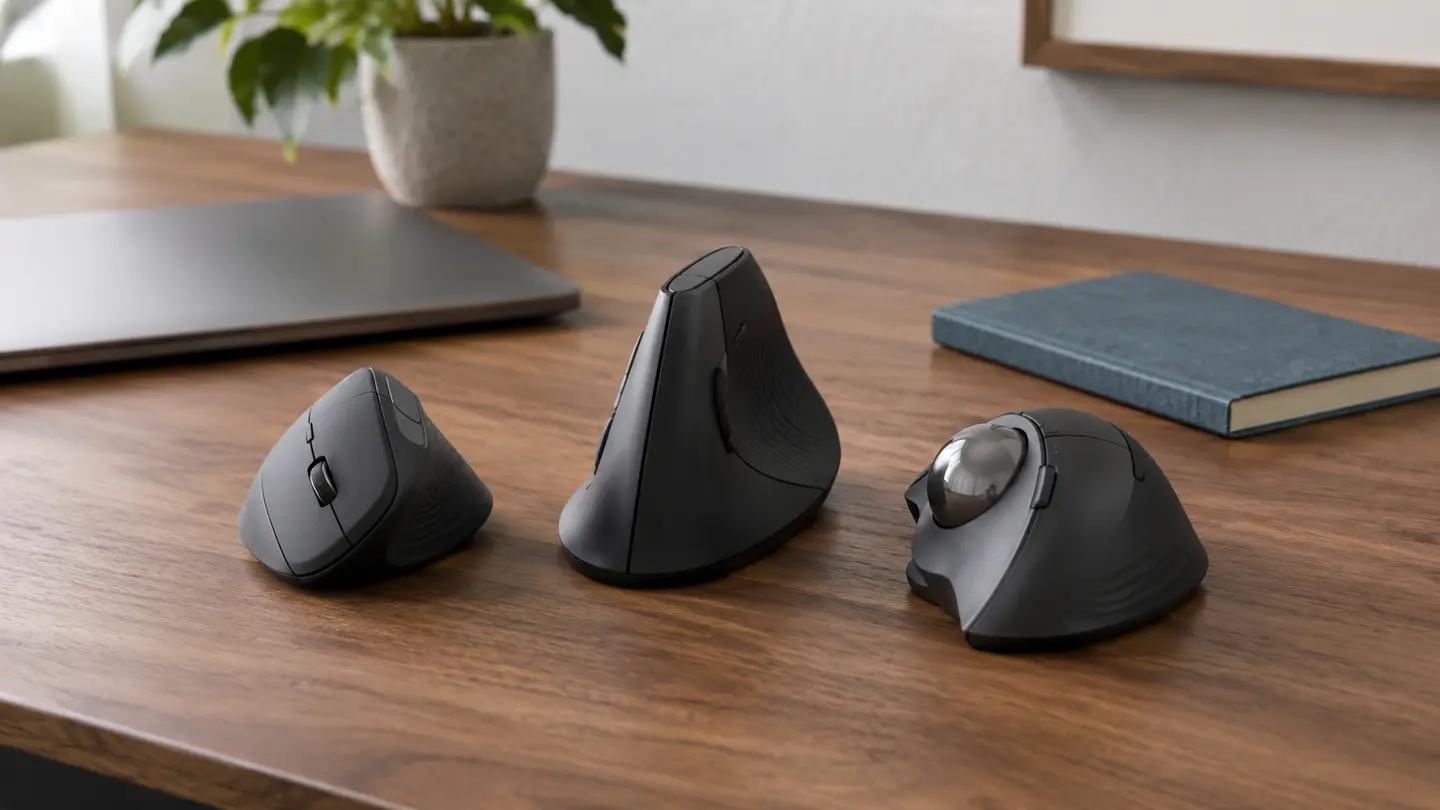
Hamejur compared exact U.S. model identity, manufacturer hand-size guidance, angle, movement style, connectivity, receiver family, power, dimensions, software support, cleaning access, warranty, and current Amazon listings on September 2, 2026. Hamejur did not physically test these pointing devices. Contextual images show generic mice and a trackball rather than the named products. Manufacturer comfort and battery statements remain attributed claims; OSHA guidance informs the placement and fit discussion.
Read How We Compare for Hamejur’s evidence, selection, and disclosure standards.
Primary sources: Logitech Lift current product page; Logitech Lift specifications and compatibility; Logitech MX Vertical current product page; Kensington Pro Fit Ergo TB450 product page; Kensington K72194WW support and specifications; OSHA pointer and mouse workstation guidance.